Work order software built for auto, fleet, and service businesses
LedgerDo covers work order software, estimate approvals, fleet billing software, customer messaging, scheduling, technician time, and profitability reporting from the first estimate to the paid invoice.
- Estimates, work orders, and invoices
- Stripe payments and customer portal links
- Scheduling, shop hours, and team workflows
- Parts, labor, AI, and support tools
Everything from work order to invoice
Concrete tools for running jobs, billing customers, and keeping the shop moving.
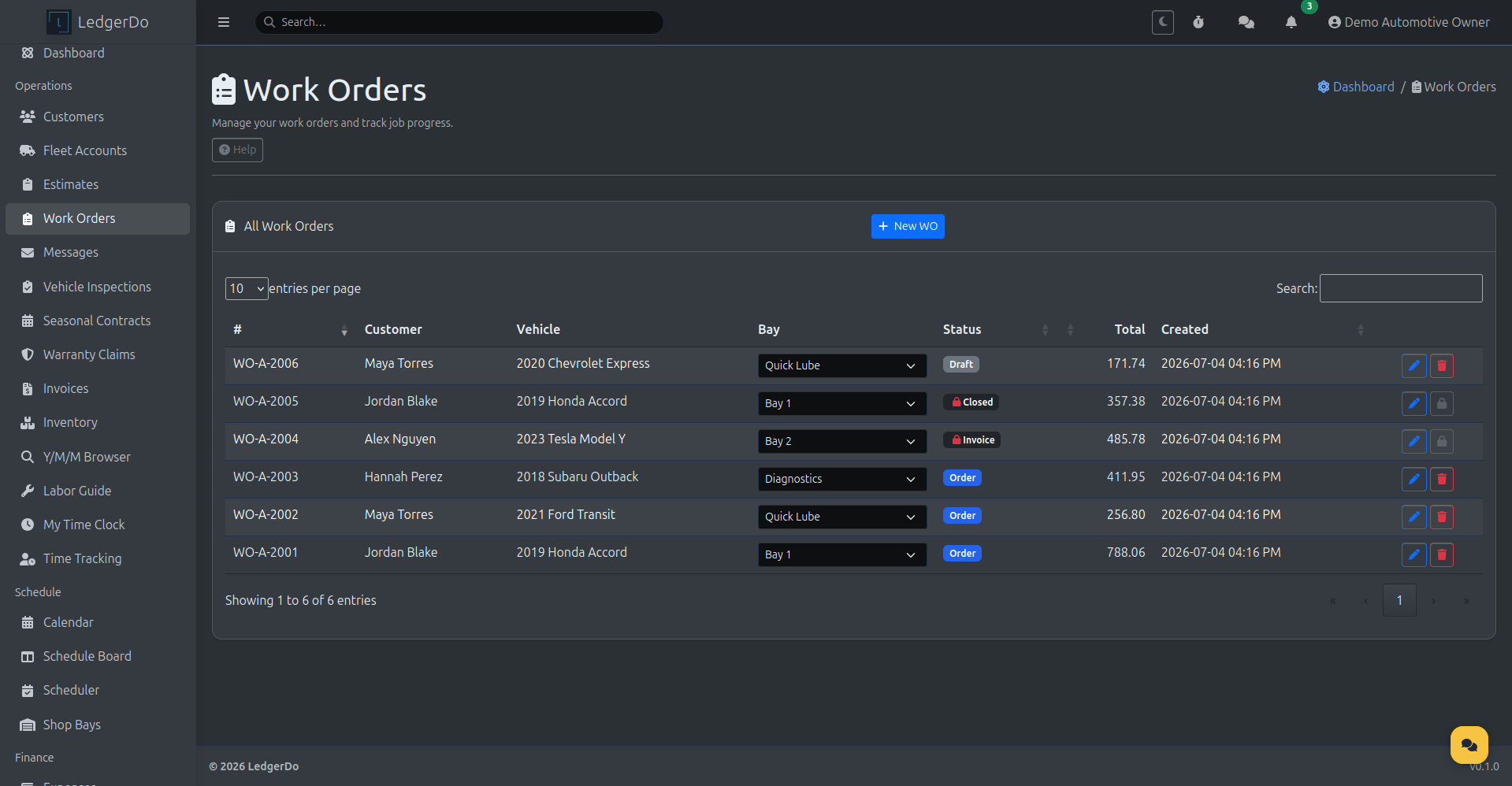
Work Orders
Track the job itself, from customer and vehicle to bay assignment, status, and running totals.
- Customers and vehicles attached to every job
- Shop bay assignment and job status at a glance
- Running totals as labor and parts are added
- Job progress from draft through invoiced and closed
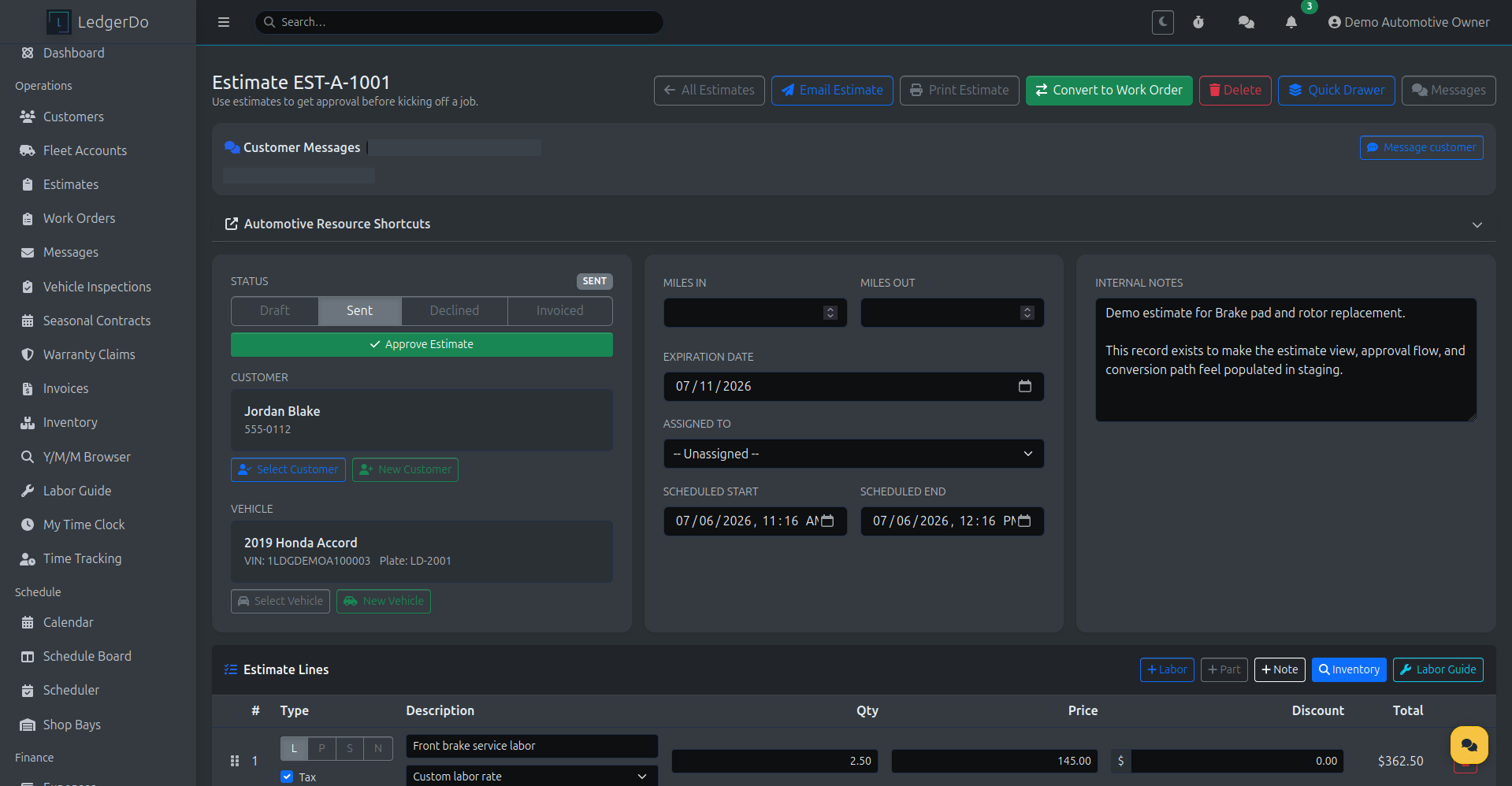
Estimates & Approvals
Send estimates, capture customer approval, and convert straight into a work order.
- Send estimates by email or through the customer portal
- Clear approval flow with sent, approved, and declined states
- One-click conversion from approved estimate to work order
- Labor and parts lines carry over without re-entry
Fleet Accounts & Billing
Set up commercial accounts with the billing rules your fleet and business customers expect.
- Billing contacts, payment terms, and billing cycle
- PO requirements and approval thresholds
- Default discounts and account holds
- One organized monthly statement per account
Customer Messaging
Send service-related updates by SMS or portal message, with consent handled up front.
- Service-related updates by SMS or customer portal message
- Consent-aware sending with STOP and HELP language built in
- Portal message fallback keeps customers informed if SMS is disabled
- Message history stays attached to the customer record
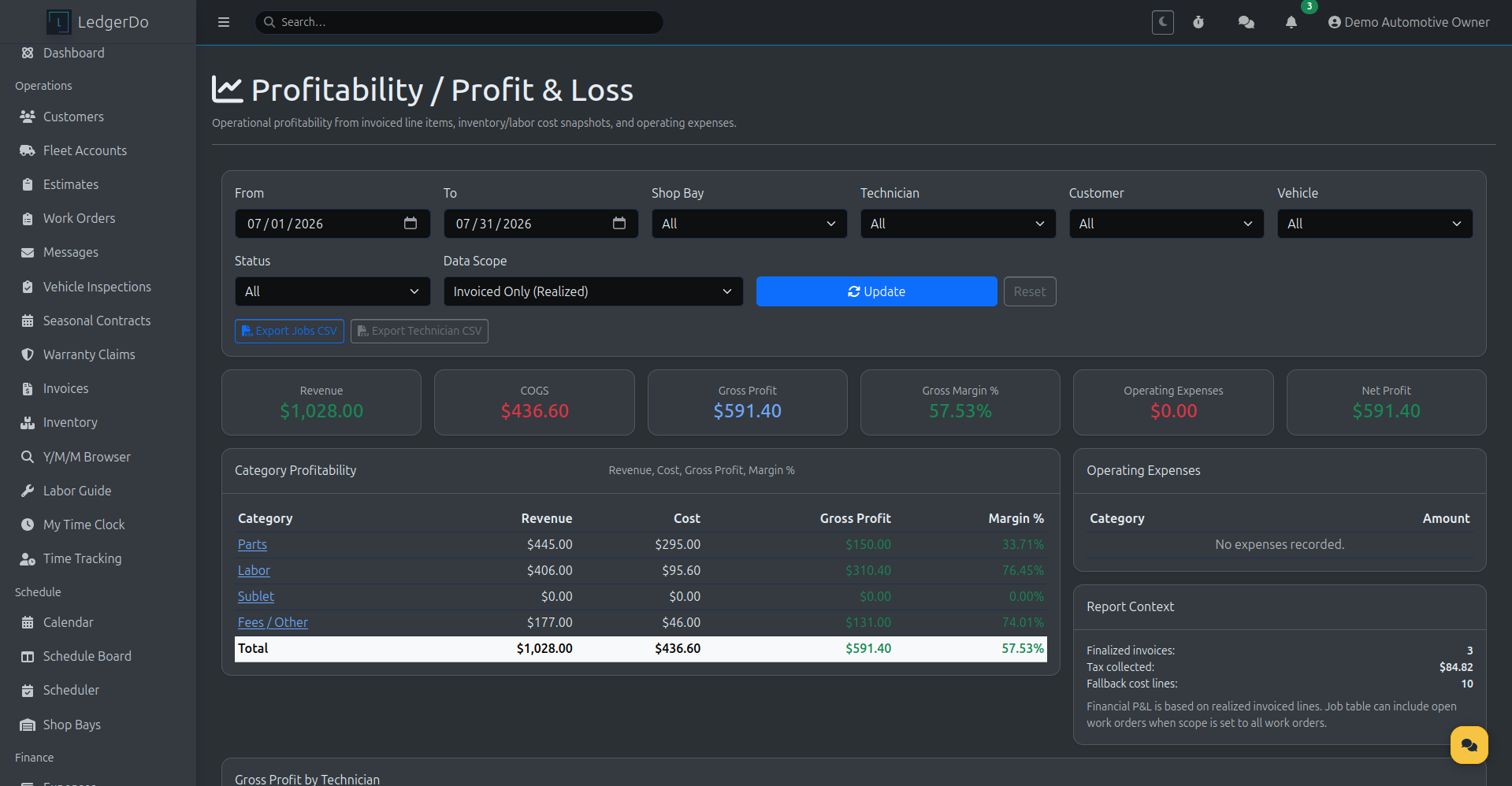
Profitability & P&L
See revenue, cost, gross profit, and margin by job, category, technician, or shop bay.
- Revenue, cost, gross profit, and margin at a glance
- Category profitability across parts, labor, sublet, and fees
- Operating expenses rolled into net profit
- Filter by shop bay, technician, customer, or vehicle
AI Labor Guide
Search labor operations in plain language and add matched lines straight to the work order.
- Search labor operations by plain-language description
- Matches from your local catalog and AI-assisted lookup
- Add labor lines directly to the open work order
- Review before anything is billed to the customer
Scheduling & Shop Bays
Coordinate the calendar, schedule board, and shop bays around real technician availability.
- Calendar and scheduler views for appointments
- Schedule board organized by bay or technician
- Shop bay assignment and visibility on every job
- Business hours and technician availability controls
Technician Time Tracking
Clock technicians in and out on the work order and see labor hours roll into profitability.
- Clock in and out directly from an open work order
- Tracked time by technician across every job
- Personal time clock alongside job-level time tracking
- Labor hours feed directly into profitability reporting
Digital Vehicle Inspections
Run digital inspections and turn findings into estimate lines without re-typing anything.
- Structured digital inspection checklists
- Findings attach to the vehicle and work order
- Turn flagged items into estimate lines
- Inspection history for repeat visits
Recurring & Seasonal Services
Manage recurring contracts, seasonal service windows, and renewal reminders.
- Recurring and seasonal service contracts
- Reminders ahead of upcoming service windows
- Renewal workflow for repeat customers
- Visibility into upcoming recurring work
Mobile Technician App
Give technicians field access to work orders, time clock, line items, and customer messages.
- Field access to assigned work orders
- Clock in and out from a mobile device
- Add labor and parts line items on the job
- Send and view customer messages in the field
Customer Portal
Let customers approve estimates, view invoices, read messages, and track job status themselves.
- Estimate review and approval from the portal
- Invoice viewing and payment links
- Portal message history for the account
- Job and work order visibility for the customer
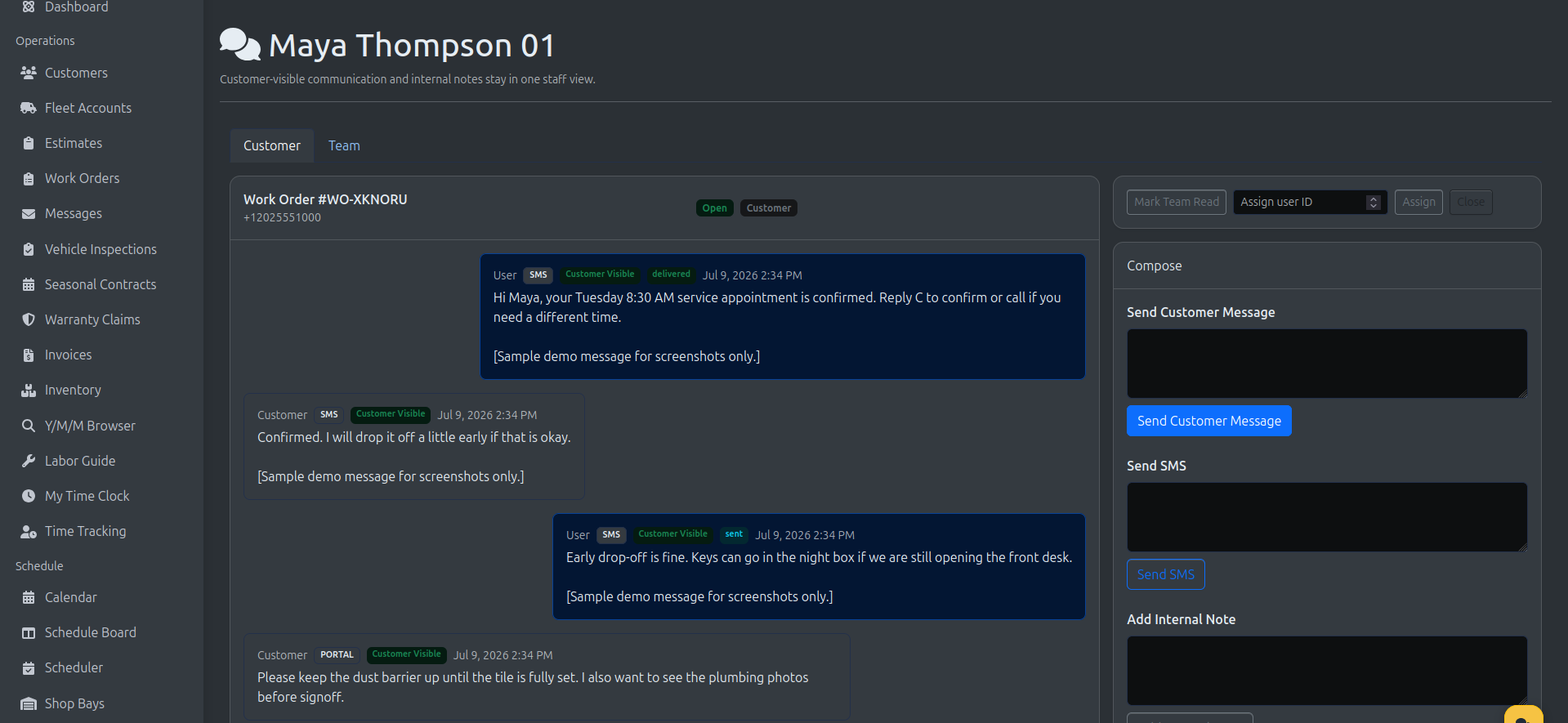
Customer messaging, built with consent in mind
Send service-related customer messaging by SMS or portal, with STOP/HELP language built in and a portal fallback when SMS is not available on an account.
SMS messaging requires customer consent and approved messaging settings. Customers can reply STOP to opt out or HELP for help.
Who it is for
LedgerDo fits small service businesses that need estimates, jobs, invoices, messaging, and reporting in one workflow.
- Mobile mechanics and auto repair shops
- Fleet maintenance providers billing multiple vehicles
- Detailers and reconditioning businesses
- Seasonal service teams handling repeat work
- Owner-led field service teams replacing disconnected tools
Why LedgerDo
Payments
Industry Tools
Admin and Account
Support
Explore by industry
See how the same core platform is positioned for auto/fleet, landscaping, and construction teams.
Ready to start?
Create an account, choose your industry during signup, and start with the current public plan catalog for field service software and fleet billing workflows.