Field service software for auto service, mobile mechanic, and fleet maintenance businesses

Run estimates, work orders, fleet billing, customer messaging, digital inspections, technician time, and service business invoicing from one LedgerDo workspace.

What you get
  • Estimates, work orders, and invoices
  • Stripe payments and customer portal links
  • Scheduling, shop hours, and team workflows
  • Parts, labor, AI, and support tools

Built for the daily flow of an auto and fleet service shop

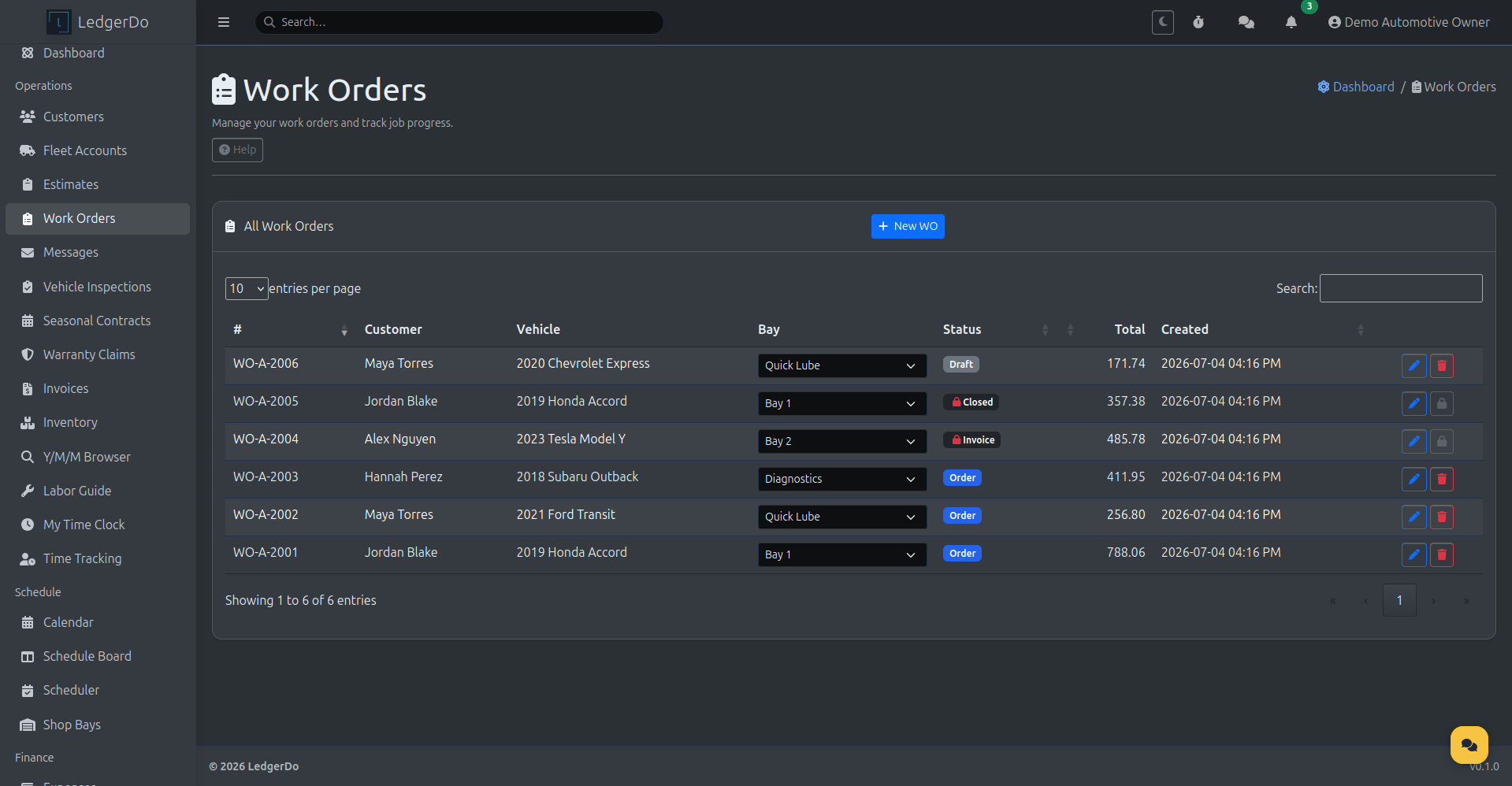
Work orders track customers, vehicles, bays, status, and job totals
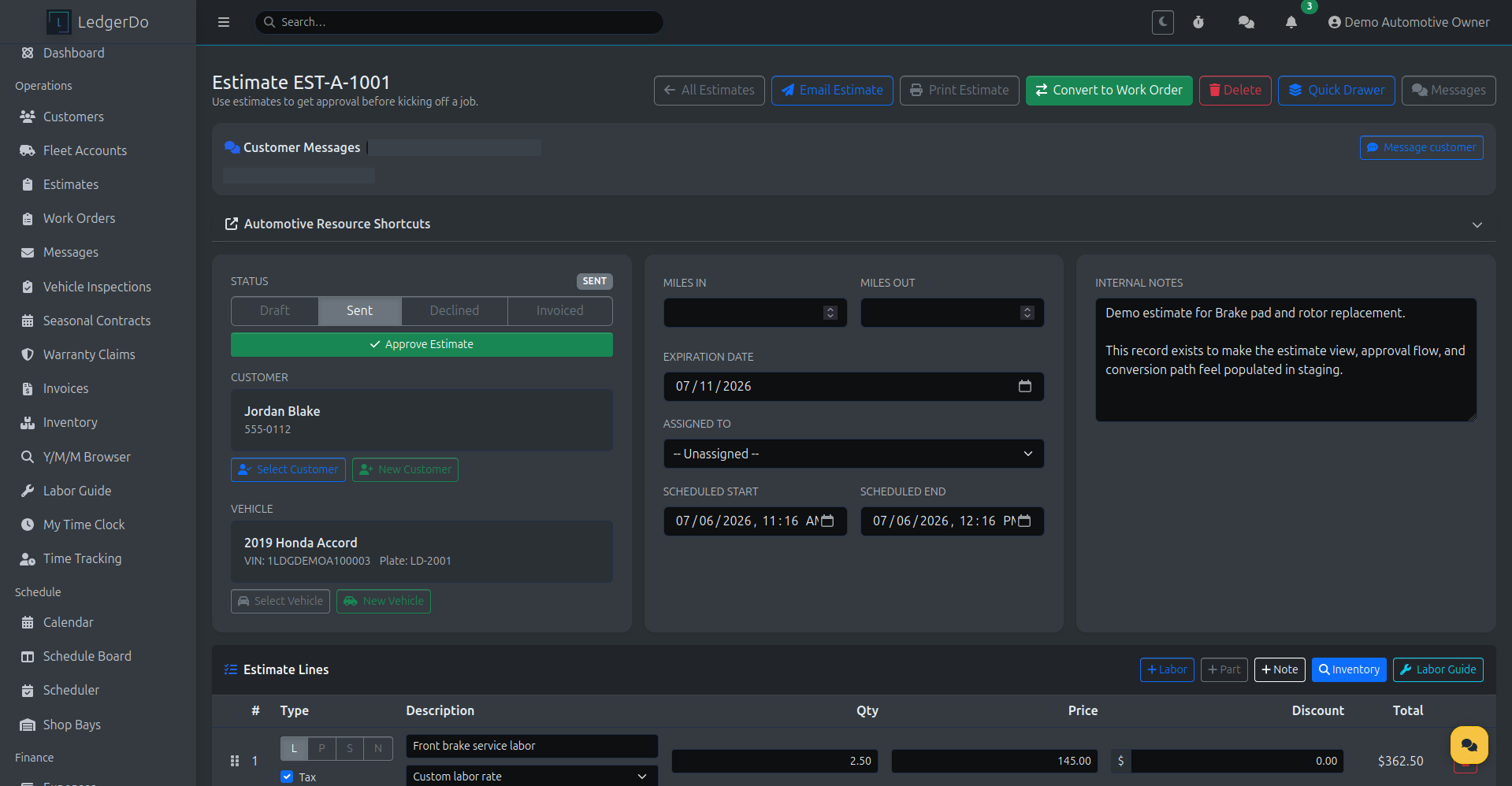
Estimates send for approval and convert to a work order in one click
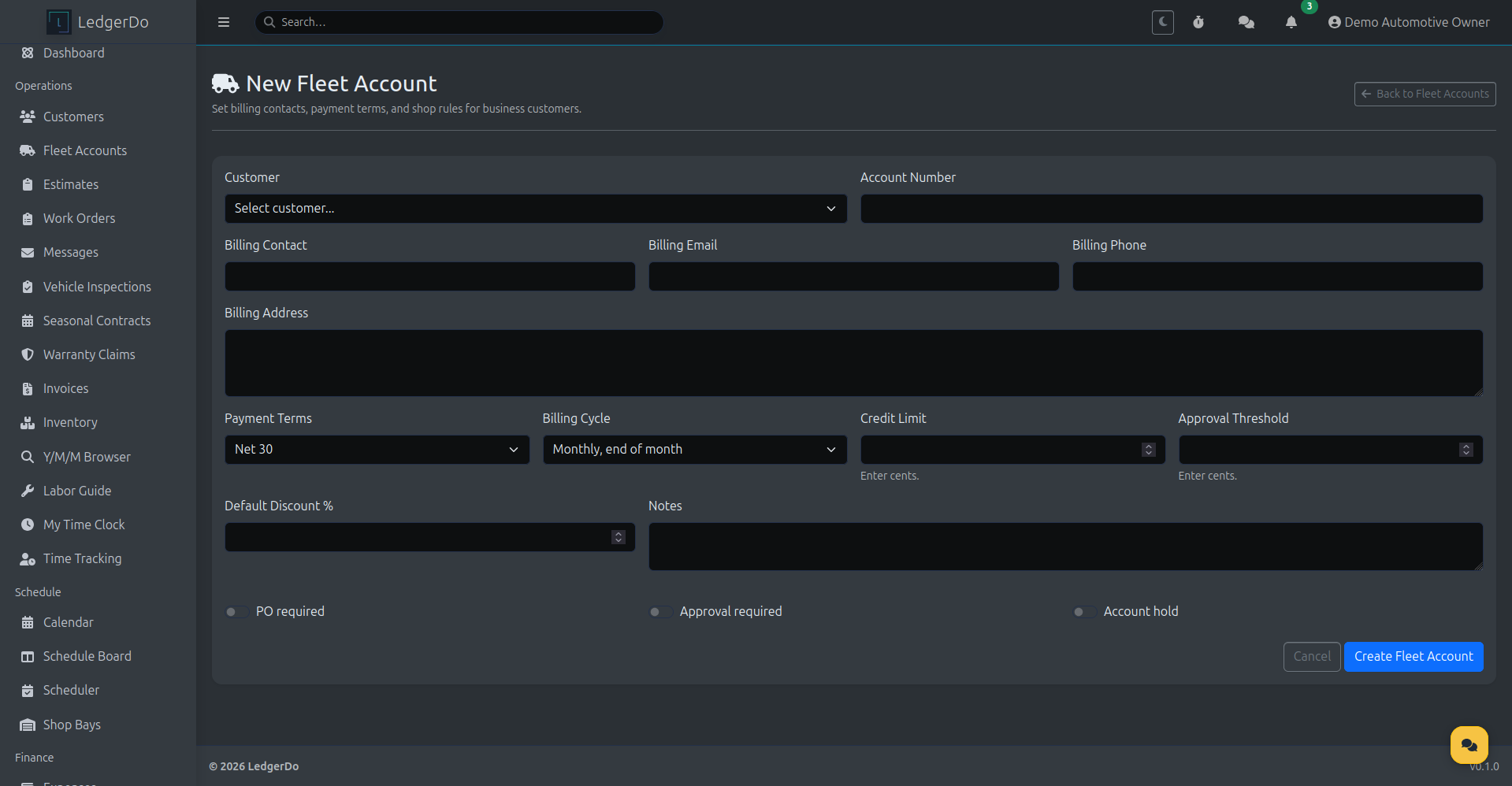
Fleet accounts handle billing contacts, payment terms, PO requirements, and approval thresholds
Digital vehicle inspections turn findings into estimate lines
Customer messages by SMS or portal stay attached to the customer and the job
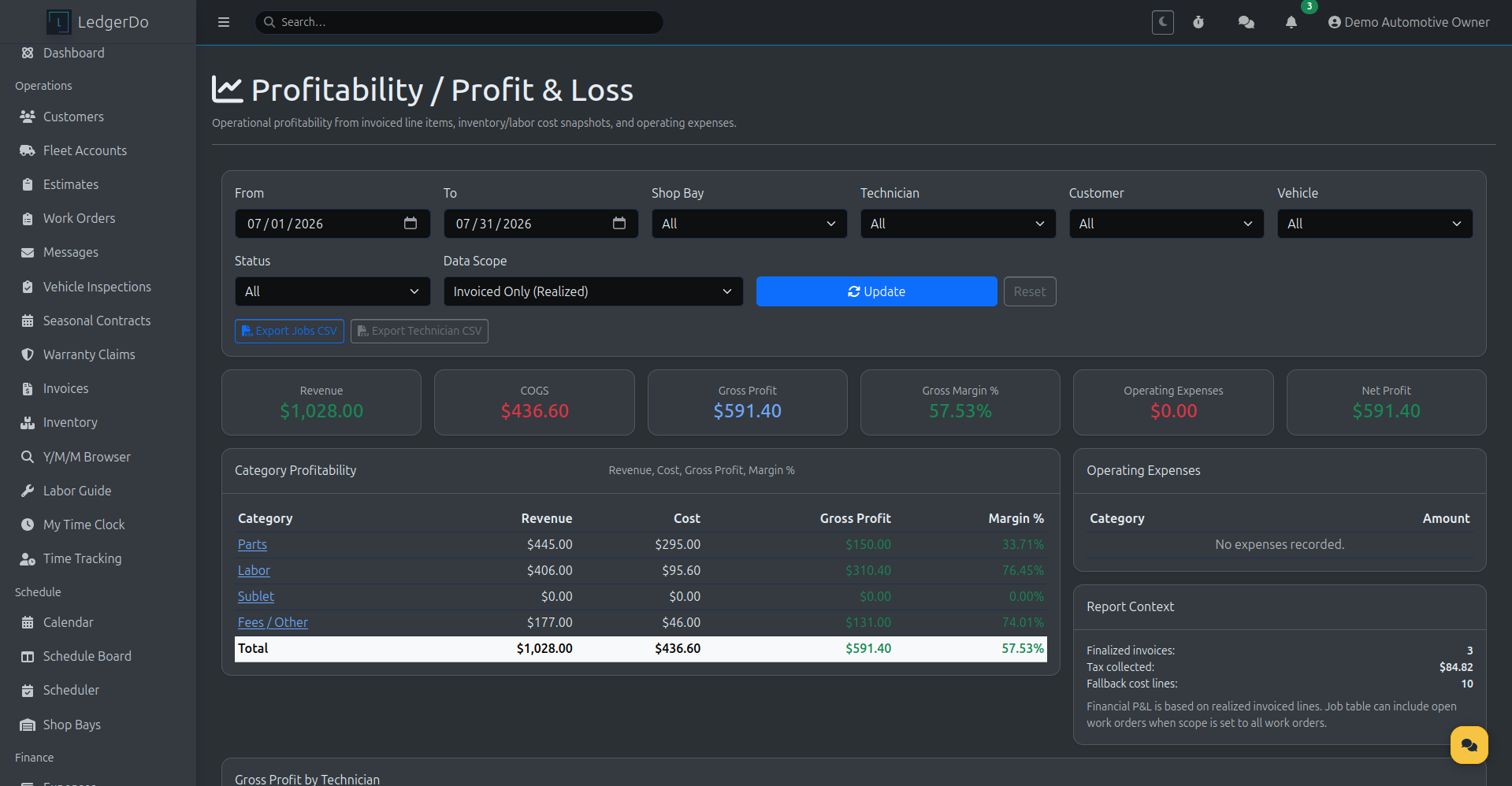
Technician time tracking rolls straight into profitability reporting

Who this fits

  • Auto repair and service shops
  • Mobile mechanics
  • Fleet maintenance and commercial accounts
  • Detailing and reconditioning businesses
  • Seasonal service teams with repeat maintenance work
  • Small service shops billing multiple vehicles per customer

Why LedgerDo

Keep the job and the billing record connected from first approval through final payment.

  • Estimate to work order to invoice happens in one workflow
  • Customer, vehicle, and fleet records stay connected
  • Technician time and job lines feed job profitability
  • Customer messages stay with the customer and the job
  • Revenue and cost data roll into profitability reporting

What teams use it for
Write accurate estimates, get approval, and turn them into active jobs without re-entry.
Track work order status, bay assignment, technician time, and parts/labor totals during the job.
Bill commercial customers with fleet rules like PO requirements, terms, and monthly statements.
Keep customer messaging and service updates tied to the work instead of lost in separate inboxes.
LedgerDo work orders list showing customers, vehicles, bay assignment, status, and job totals
Work Orders — every job, bay, and status in one list
LedgerDo new fleet account form with billing contact, payment terms, PO requirement, and approval threshold fields
Fleet Accounts — billing rules for commercial customers
LedgerDo estimate detail showing approval status, customer and vehicle details, and a convert-to-work-order button
Estimates — send, approve, convert to a work order
LedgerDo profitability and profit and loss report with revenue, cost, gross profit, and margin
Profitability — margin by job, category, and technician

Fleet billing built for commercial accounts

Service multiple vehicles throughout the month and send one organized statement when it's time to bill, with the payment terms, PO requirements, and approval thresholds commercial customers expect.

Learn about Fleet Billing
Billing contacts and payment terms
PO requirements and approval thresholds
Default discounts
Account holds
Monthly statements
Aging report for past-due accounts

SMS updates, with a portal fallback

Keep customers posted on estimate approvals and job status by SMS or portal message. If SMS is not enabled on an account, the update still reaches the customer through the portal.

SMS messaging requires customer consent and approved messaging settings. Customers can reply STOP to opt out or HELP for help.
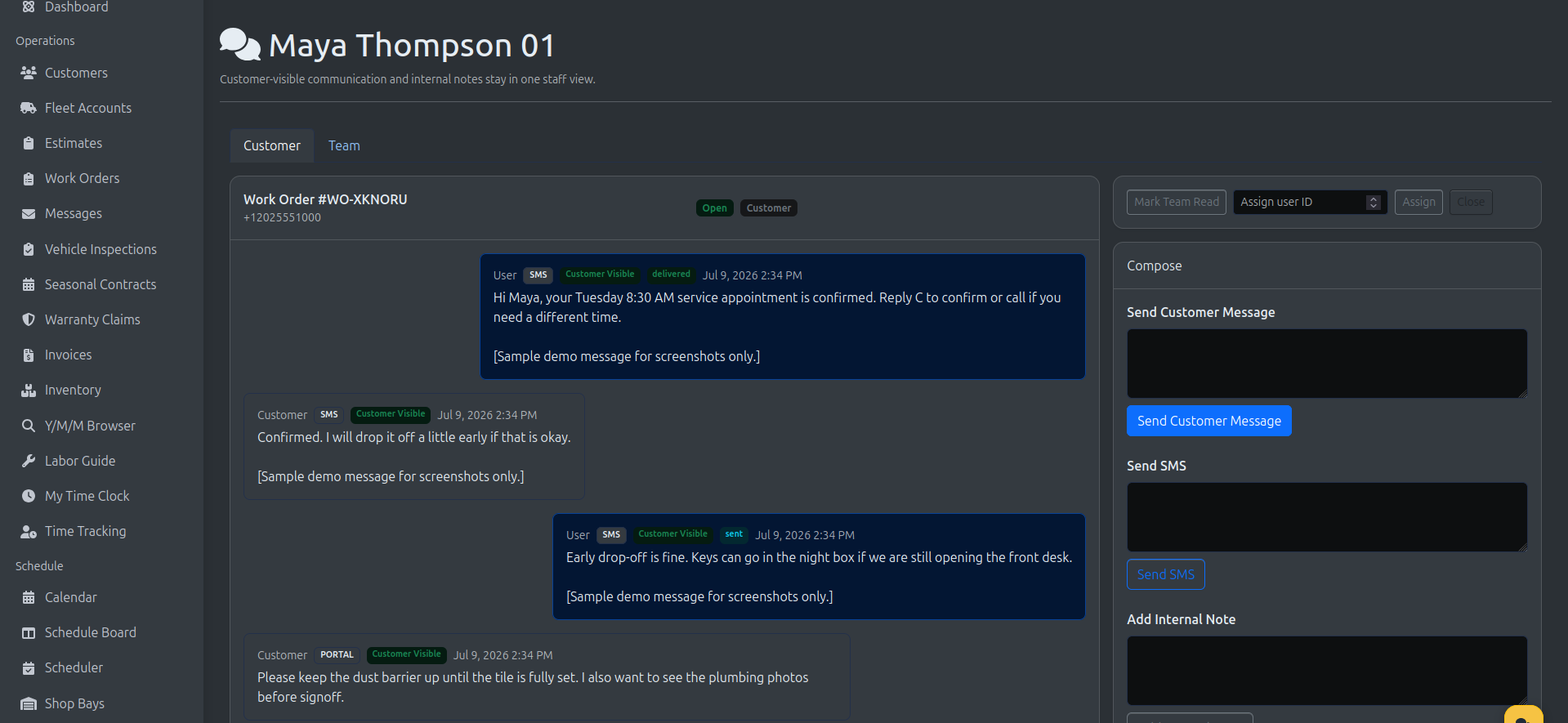
LedgerDo customer messaging drawer showing a service-related SMS conversation
Customer Updates — service-related SMS and portal messaging tied to the customer record
Ready to see it running?
Walk through a live demo, or request access and choose auto/fleet during onboarding so the workflow, terminology, and billing setup match your shop.